#include <ToolManager.hpp>
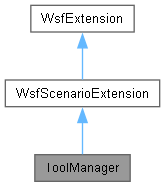
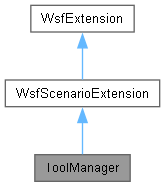
Public Member Functions | |
| ToolManager (WsfScenario &aScenario) | |
| void | AddedToScenario () override |
| ~ToolManager () override | |
| bool | ProcessInput (UtInput &aInput) override |
| bool | Initialize (WsfSimulation &aSimulation) |
| bool | AllToolsDone () |
| bool | UnRegister (Tool *aToolPtr) |
| This informs the ToolManager that a tool instance is finished. | |
| bool | Register (Tool *aToolPtr) |
| This informs the ToolManager that a tool instance is now active (in use). | |
| bool | AddToolType (const std::string &aType, Tool *aToolTypePtr) |
| Public Member Functions inherited from WsfScenarioExtension | |
| WsfScenarioExtension () | |
| ~WsfScenarioExtension () override | |
| WsfScenario & | GetScenario () const |
| WsfApplication & | GetApplication () const |
| virtual void | FileLoaded (const std::string &aFileName) |
| virtual bool | Complete () |
| virtual bool | Complete2 () |
| virtual void | SimulationCreated (WsfSimulation &aSimulation) |
| virtual bool | AlwaysCreate () |
| Public Member Functions inherited from WsfExtension | |
| virtual | ~WsfExtension ()=default |
| const std::string & | GetExtensionName () const |
Static Public Member Functions | |
| static ToolManager * | Find (WsfScenario &aScenario) |
Additional Inherited Members | |
| Protected Member Functions inherited from WsfExtension | |
| void | InitializeExtensionName (const std::string &aName) |
Detailed Description
ToolManager contains a repository for all existing tool types, and will inform a simulation when all registered Tools have completed their work. Each derived instance of the Tool class will automatically register via CheckIn() to the class singleton to add itself into the collection of known tools that are instantiated. Once an instance is added, it must then also CheckOut() from this object when it is complete. When each of the tools that have registered then CheckOut(), the simulation is fully complete, and may terminate.
Constructor & Destructor Documentation
◆ ToolManager()
| ToolManager::ToolManager | ( | WsfScenario & | aScenario | ) |
References WsfScenarioExtension::WsfScenario.
Referenced by Find().
◆ ~ToolManager()
|
override |
Member Function Documentation
◆ AddedToScenario()
|
overridevirtual |
Called when the extension has been added to the scenario. This is typically used to register new component type objects and object factories, e.g.:
Script classes must NOT be registered here because they are global to the entire application. They should be registered in WsfApplication::AddedToApplication.
- Note
- GetScenario() and GetApplication() are now valid.
Reimplemented from WsfScenarioExtension.
◆ AddToolType()
| bool ToolManager::AddToolType | ( | const std::string & | aType, |
| Tool * | aToolTypePtr ) |
◆ AllToolsDone()
| bool ToolManager::AllToolsDone | ( | ) |
Method of inquiry to see if all registered Tools are complete, and the simulation in progress may be terminated.
Referenced by weapon_tools().
◆ Find()
|
static |
References WsfScenario::FindExtension(), ToolManager(), and WsfScenarioExtension::WsfScenario.
Referenced by Tool::GetManager().
◆ Initialize()
| bool ToolManager::Initialize | ( | WsfSimulation & | aSimulation | ) |
References success, and UnRegister().
Referenced by weapon_tools().
◆ ProcessInput()
|
overridevirtual |
Process potential input for the extension. This method examines the current input command to determine if it is one that is recognized by the extension. If it is one recognized by the extension then it processes the command and returns 'true', otherwise it returns 'false'.
- Parameters
-
aInput a reference to a UtInput object.
- Returns
- 'true' if the command was one recognized by the extension or 'false' if not.
- Exceptions
-
UtInput::ExceptionBase (or an object derived from it) if the command was recognized but contains some sort of error.
Reimplemented from WsfScenarioExtension.
References Tool::Clone(), Tool::ProcessInput(), Register(), and WsfObject::SetName().
◆ Register()
| bool ToolManager::Register | ( | Tool * | aToolPtr | ) |
This informs the ToolManager that a tool instance is now active (in use).
Method to indicate that a new Tool is registering to begin its work.
- Parameters
-
aToolPtr Pointer to the registering Tool instance.
- Returns
- Success
Referenced by ProcessInput().
◆ UnRegister()
| bool ToolManager::UnRegister | ( | Tool * | aToolPtr | ) |
This informs the ToolManager that a tool instance is finished.
Non-static method to indicate that a Tool has completed its work, and is un-registering.
- Parameters
-
aToolPtr Pointer to the already registered Tool instance, which is now done.
- Returns
- If true, the instance was found Registered, and set UnRegistered.
Referenced by Initialize(), Tool::UnInitialize(), and Tool::Update().
The documentation for this class was generated from the following files: